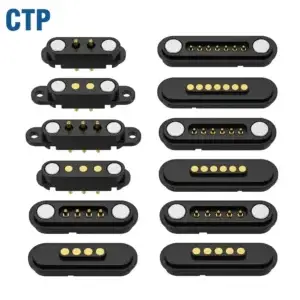
It is much easier to picture a custom connection when you can see it inside the product. The contact face, mounting points and board connection all have a place. A clear drawing brings those details together before they become a physical accessory or module.
Custom connector drawing approval is a useful part of that development. Our magnetic pairs, mounting-ear designs, dual-row interfaces and cable assemblies offer different shapes to work with. The drawing lets you compare a selected configuration with your device, so the connection can feel intentional from the outside and fit sensibly on the inside.
A rectangular pair gives a compact module a defined contact area
Our six-contact rectangular magnetic connector pair, CTP-MPC-6P-REC-PAIR-01, includes a spring-contact side and matching target side. The six positions can carry the functions assigned by the product circuit.
Two matching halves make the complete connection easier to picture
For a removable control accessory, the pair gives the product team a defined interface to place between the fixed device and removable part. The target pattern, housing outline and installed position can be considered together, rather than choosing each side as if it were unrelated.
The magnets assist capture and retention as the parts meet. The spring contacts provide electrical pressure. The device housing supplies the final positioning, so the connection is developed around the way the accessory should attach.
A drawing can show the pair in that ordinary connected position. This is useful to the designer arranging the enclosure, the person laying out the board and the buyer identifying the selected parts. They can all refer to the same recognizable product arrangement.
Mounting ears give the enclosure clear attachment features
The CTP eight-contact single-row pair, CTP-MPC-8P-SR-MH-A01, brings eight inline positions into an elongated housing with mounting ears and through-holes. It is a different physical option for a product with a defined connection edge.
The eight-contact row can follow a narrow module edge
A removable instrument module may have a narrow strip available along one side. An inline connector can be compared with that strip while the rest of the module remains available for components and support features. The shared row keeps the electrical positions in one clear mating pattern.
The ears provide physical attachment features to develop with the enclosure. Their hole locations and intended fastening arrangement can be shown in the same view as the contact face. That makes the connector easier to place in the product than a contact pattern with no visible mounting relationship.
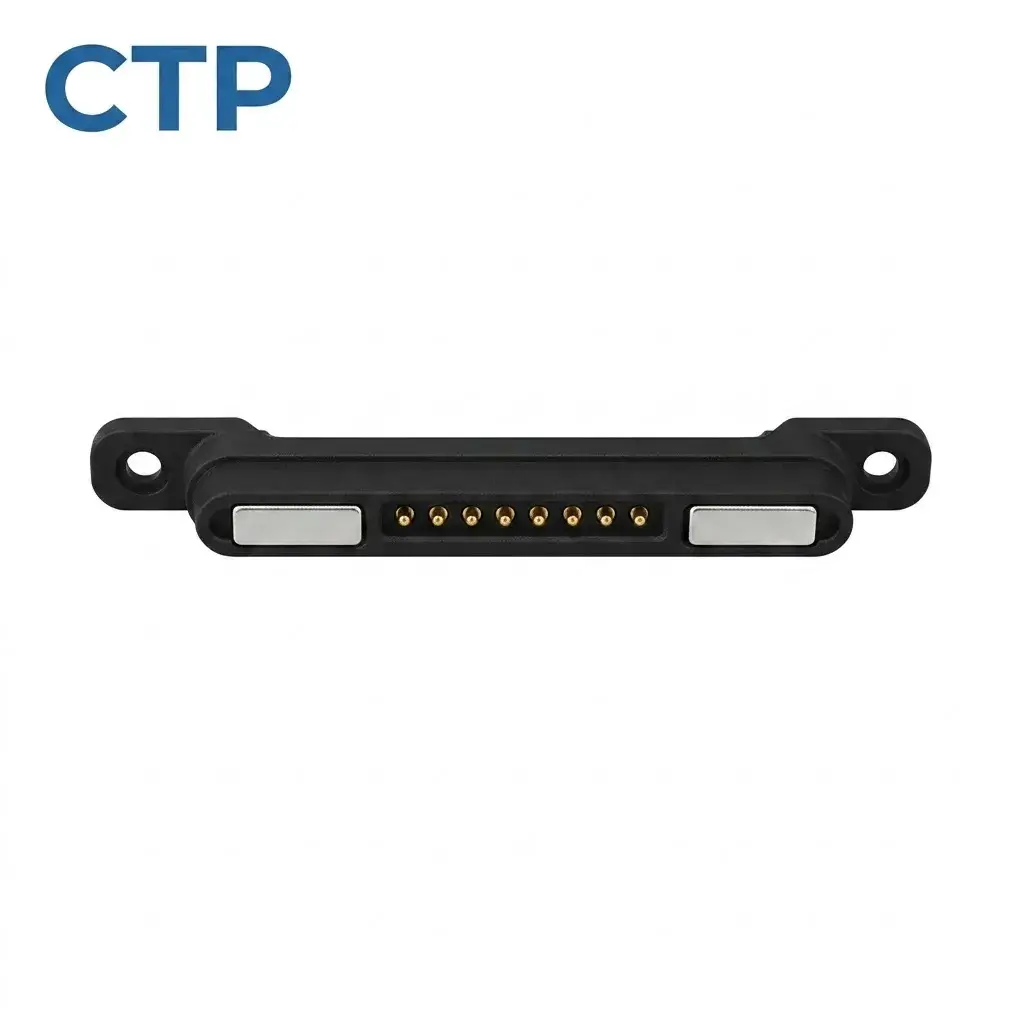
For a dock, this can help establish a deliberate connection point beside the device pocket. The mechanical support and electrical face are part of one design conversation, allowing the user-facing position to develop alongside the internal mounting.
A dual-row interface gives more paths a different shape
Our fourteen-contact magnetic connector, CTP-MPC-14P-DR-A01, uses a seven-by-two contact arrangement and is shown as a mating pair. It offers a rectangular interface for a product needing more assigned electrical paths.
This layout may be attractive when a long single row would not fit the available edge. The contacts occupy two rows, giving the designer another proportion to compare with the module. The spring and target halves remain parts of the same complete connection.
For a control module with several functions, the contact map can relate each position to the circuit while the drawing relates the group to the enclosure. This brings the electrical purpose and physical shape into one view of the product.
The choice is about useful paths and suitable area. A smaller rectangular pair, an eight-contact line and a fourteen-contact dual-row pair offer different combinations. A drawing helps make those differences visible before the final configuration is selected.
A cable assembly can show the route all the way to the source
The CTP four-contact USB-C magnetic cable, CTP-MCC-4P-USBC-DATA-01, includes a USB-C plug, cable, magnetic head and matching PCB-mount connector. It is a complete connection format to consider for a custom device accessory.
The board-side mate connects the cable idea to the electronics
A device drawing can place the receiving part inside the housing and show where the magnetic head meets it. The cable can then follow the distance to the intended source connection. That gives the accessory a clearer role than a lead selected only after the enclosure is finished.
For a compact desktop instrument, the magnetic face can sit at a convenient attachment point while the PCB-side connection relates to the board layout. The lead length and outlet direction can be developed around the way the instrument rests on a desk.
The four paths are assigned for the actual circuit and USB-C wiring. Supported power or communication functions belong to that complete definition. The advantage is having the source end, cable and mating interface represented within one assembly choice.
A non-magnetic contact block can complement the product’s own guides
Our ten-contact non-magnetic assembly, CTP-PPC-10P-01, combines ten spring contacts with an insulating housing. It can suit a product whose enclosure, carrier or fasteners already provide positioning and retention.
For an internal removable module, this may be a natural arrangement. The product’s guides locate the module, the holding structure keeps it seated and the contact block provides the electrical paths. The interface does not need magnets simply because it uses spring-loaded contacts.
A drawing makes those roles visible. The connector can be shown beside the carrier and target area so the contact position is understood in the complete assembly. This can help preserve the product’s existing mechanical concept while bringing several functions through one contact block.
Custom connector drawing approval can keep the design conversation simple
The available formats can also help while the enclosure is still taking shape. The six-contact rectangular pair offers a compact mating outline. The eight-contact row follows a different proportion, with attachment ears at the sides. The fourteen-contact dual-row pair brings more positions into a rectangular area. Seeing these shapes beside the device makes the choice more tangible.
For a handheld instrument with a small docking surface, the connection may need to sit between two existing support features. The drawing can compare a contact pair with that area before the housing opening is fixed. A connector chosen in this context is more likely to feel like part of the product’s design.
A desktop accessory may present a different opportunity. Its cable needs enough reach to be comfortable, while the magnetic head should approach the device from a sensible direction. The USB-C cable assembly can be drawn as that complete route, including the board-side mate, instead of being represented by an unexplained line leaving the enclosure.
For the non-magnetic ten-contact block, the surrounding carrier is central to the picture. The drawing can show how the module is held and where its targets meet the spring contacts. The product keeps its own retention concept while gaining a coordinated multi-contact electrical interface.
These are the benefits a drawing should make easy to see: a suitable contact area, a clear mounting relationship and a connection that follows the user’s action. The dimensions refine a product idea that already makes sense.
The most helpful drawing views show what the part is and how it belongs to the device. A connected view explains the mating relationship. A contact map explains the circuit positions. A mounting view relates the body to the board or enclosure.
For a connector pair, showing the viewing direction keeps the target and spring-contact sides easy to recognize. For a cable, showing both ends keeps the complete assembly clear. The purpose is to make the selected product understandable before the sample is built.
A small instrument maker may use the drawing to compare two possible interface locations. An accessory developer may use it to confirm that the cable exits away from the user’s hand. These are ordinary product decisions, and a clear connector drawing helps bring them into focus early.
Our custom connector guide provides more context on the available structures. The selected drawing then gives one configuration its own dimensions, contact definition and place in the device.
A good approval conversation stays close to the product you want to make. The connector should fit the available area, carry the assigned functions and support the intended attachment action. Our range gives you several physical routes to compare, and the drawing turns the chosen route into a clear picture of the finished connection.